
November 3, 2026 · 6 min read
Pulse now shows who's going cold
Pulse now shows how you show up (comments or likes), who you are losing touch with, which quiet profiles clutter your feeds, and the coach allowance you share.
The first Pulse answered one question: am I showing up? This week it answers three more: how, with comments or with likes; who I am losing touch with; and whose silence is cluttering my feeds. It also shows the coach allowance your team shares, so nobody is surprised at the end of the month.
Key Takeaways
- Comments vs likes puts today’s ratio next to your last 30 days, so you can see whether you are building relationships or tapping hearts
- Comment coach now shows how much of your team’s monthly allowance is left and when it refills
- Going cold lists the people you used to engage with but have not in the last three weeks, with how many posts you missed and a button to their profile
- Quiet profiles is a page for clearing people who have not posted in 30 days out of your feeds, one feed at a time or all at once
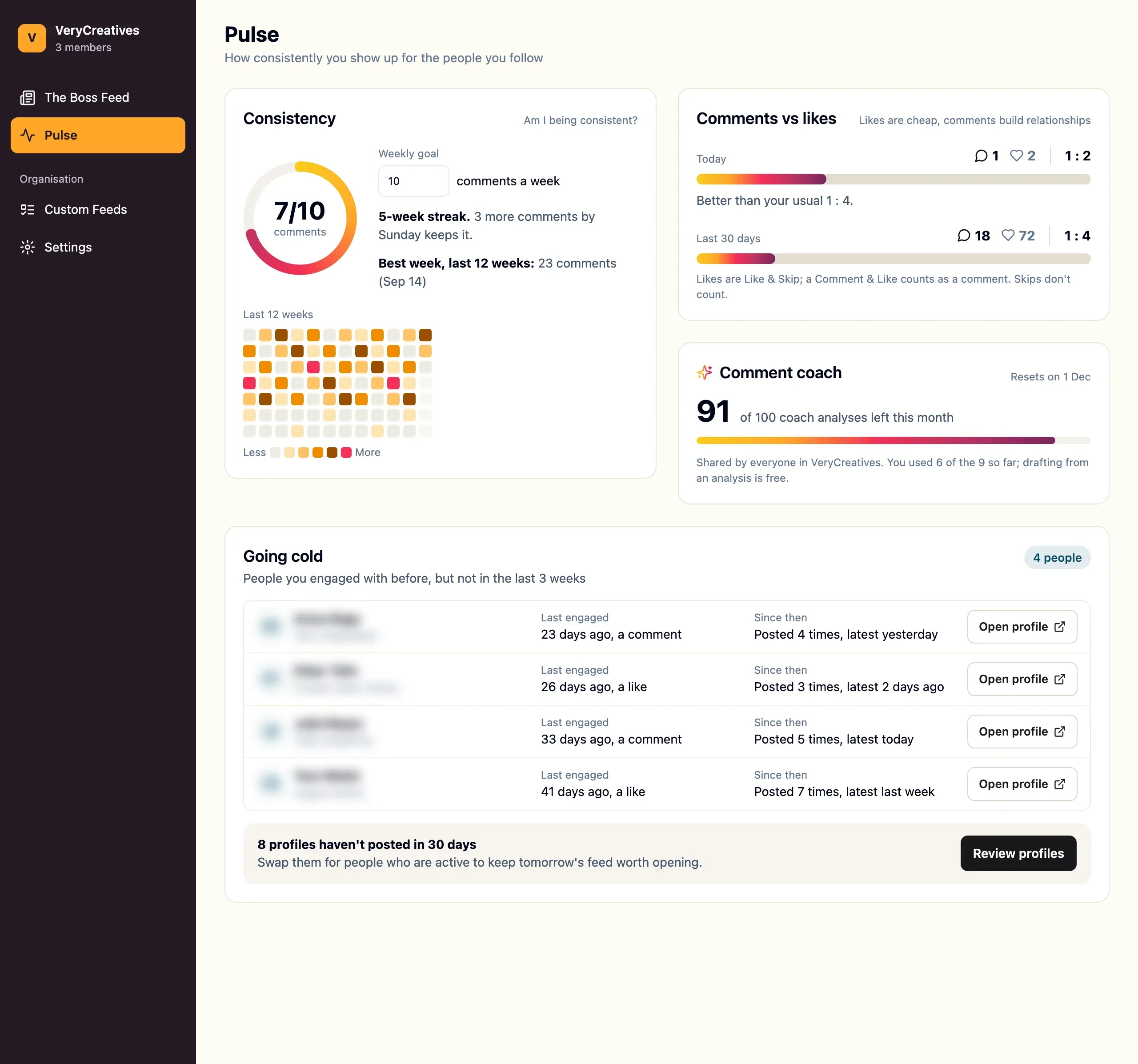
Pulse with its new second column and the Going cold card below.
Comments or likes?
A like feels productive. It takes a second, the author gets a notification, the post moves on. A comment takes a minute, and it’s the one of the two that builds a relationship. The new Comments vs likes card shows which of the two your week was made of.
Two rows, Today and Last 30 days: your comments, your likes, and the ratio between them. “1 : 4” means four likes for every comment. Under Today, one line tells you whether the day is better than your usual, in line with it, or still empty.
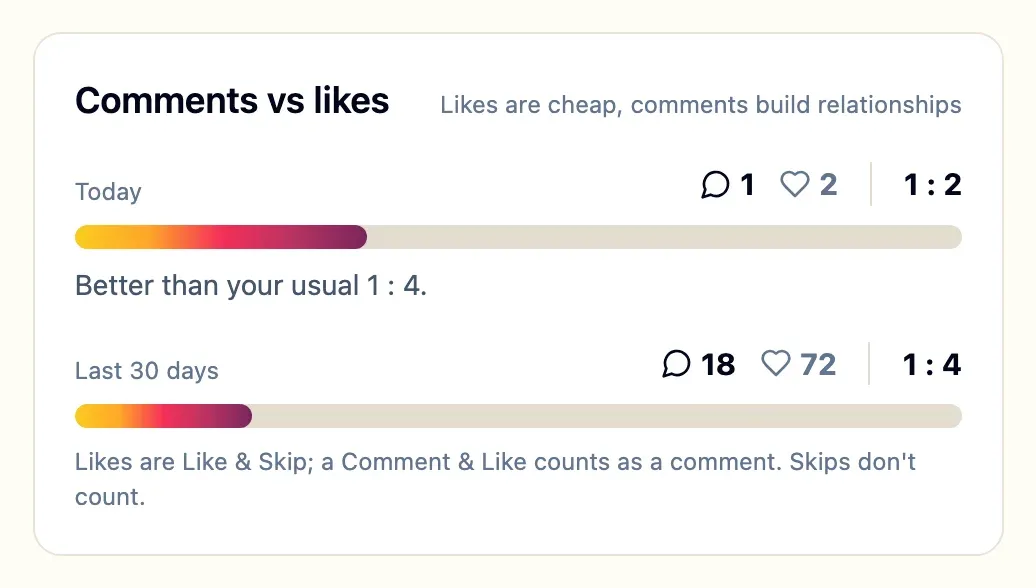
Today against the last 30 days. The ratio is the number to watch, not the counts.
There’s no target ratio. The point is to notice when a week quietly turned into a hundred hearts and three sentences, while there is still time to change it. The card counts what you did through the app’s buttons; the goal ring, the streak and the heatmap still count comments only.
Your comment coach allowance
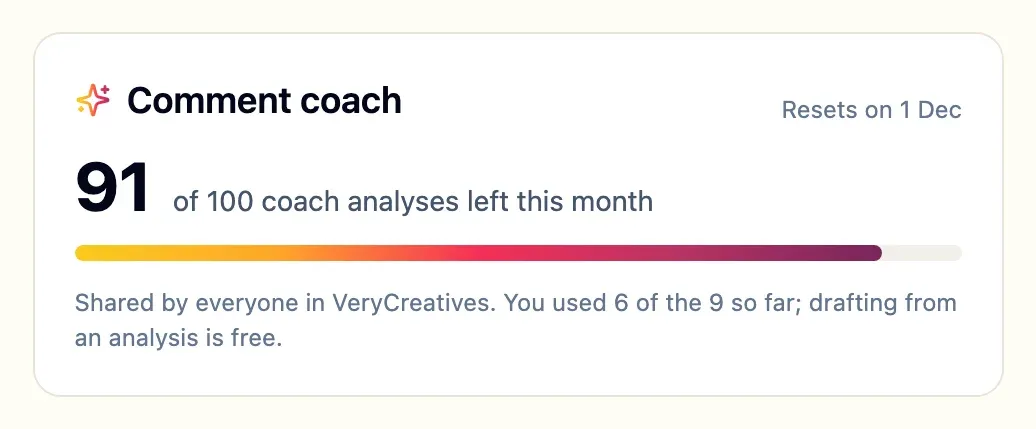
Every organization has a monthly pool of coach analyses, and until now you could not see how much of it was left. The Comment coach card fixes that: one big number, a bar that shrinks as the pool is used, and the date it refills.
What spends it is one Coach me run on a post. Drafting and redrafting from that run is free, and a run that fails costs nothing. The pool is shared with your teammates, the card shows how much of the used part was yours, and it refills on the first of each month. The current allowance is 100 a month.
Going cold
Relationships fade quietly. Nobody decides to stop commenting on someone. Three busy weeks go by, and the next time their name comes up you realize you haven’t been there. The Going cold card catches that while it is still easy to fix.
It shows up to five people you engaged with more than once in the last three months, then not at all for three weeks, while they kept posting. Each row says how long it has been and how many of their posts went by without you, and Open profile takes you to their LinkedIn profile, where the fix is one comment away.
When nobody qualifies, the card says so: “Nobody is going cold. You’re keeping up with the people you engage with.” That was the line on my own Pulse the day we shipped it. I would like to call it discipline.
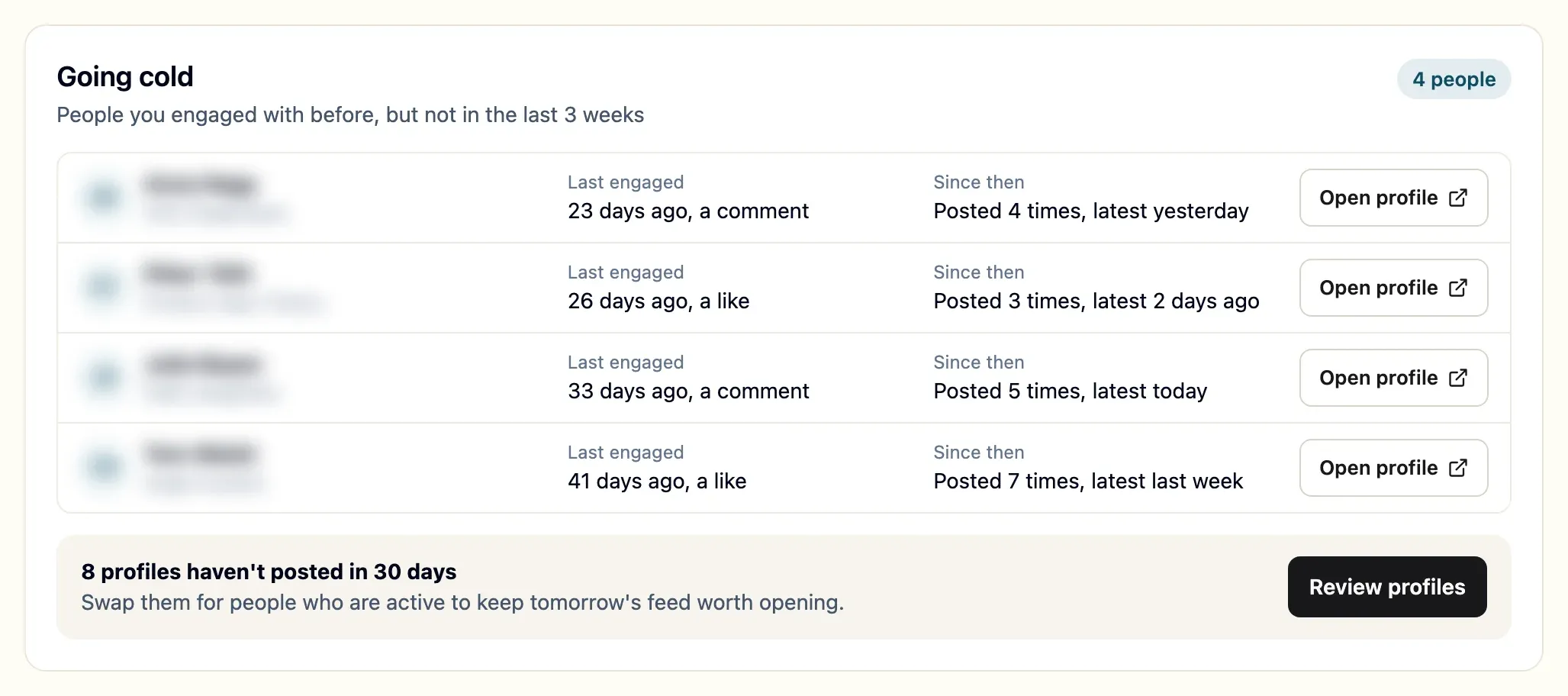
Going cold with the Review profiles bar under it.
Clean up quiet profiles
Feeds fill up with people who stopped posting. Nobody removes them, because nobody notices, and a feed half full of silence is a feed you stop opening. Under the Going cold list, a bar now tells you how many of the people you follow have not posted in 30 days, and Review profiles takes you to the new Quiet profiles page to deal with them in one sitting.
Each quiet person appears there once, with the feeds they are in. Take them out of one feed, out of all of them, or select a batch and clear it at once. Two things to know: feeds are shared with everyone in your organization, so a removal changes them for the whole team, and someone you added in the last 30 days is never called quiet.
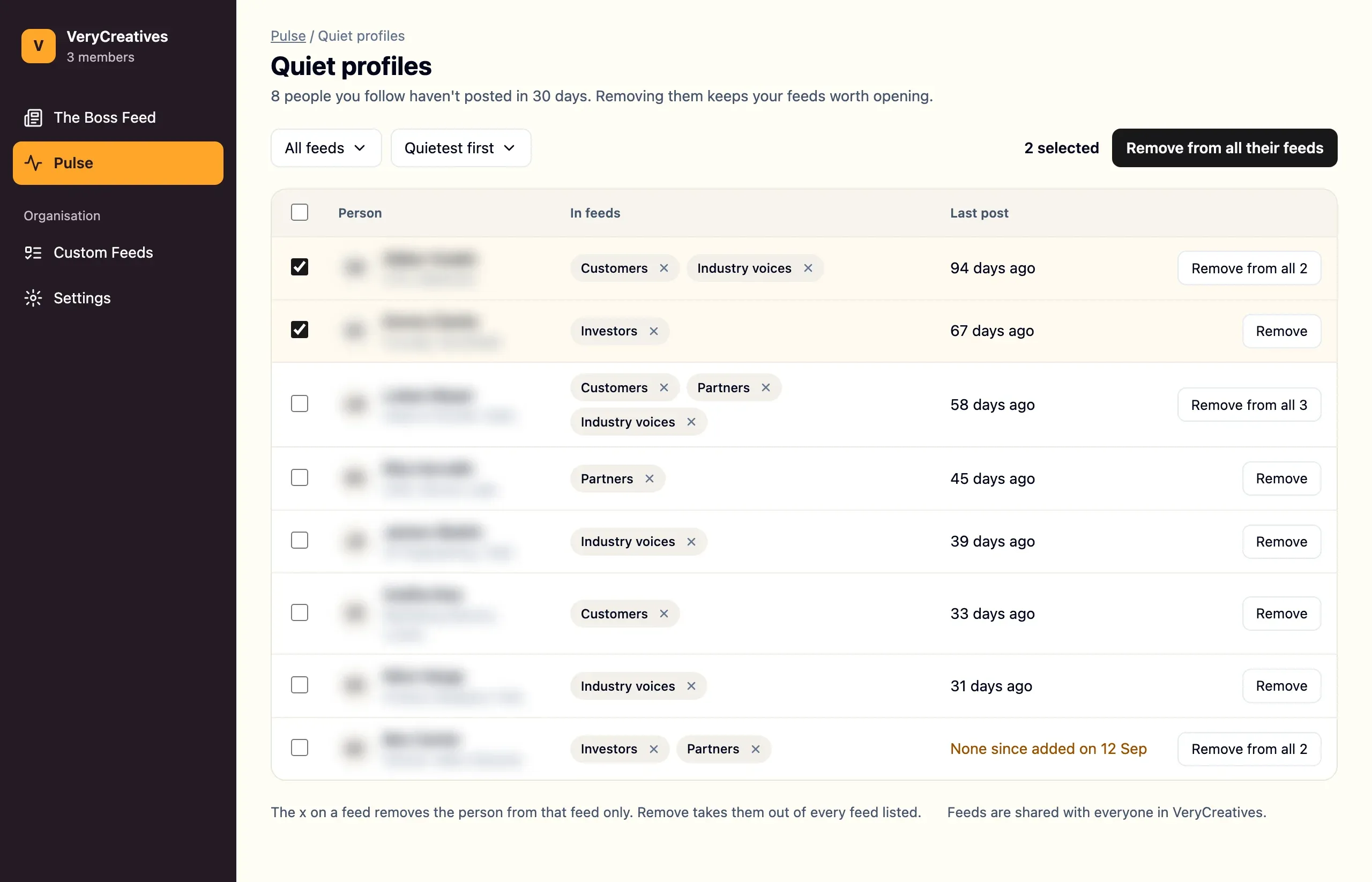
Two rows selected, one person in three feeds. The x on a chip is the gentle option; Remove is the full one.
Also new
- Your week, at the top of the feed. The Boss Feed now opens with this week’s goal ring, a Monday-to-Sunday strip that ticks each day you commented, and your streak, updated the moment you comment.
- The default weekly goal is now ten, two comments per workday. The previous article said five. Accounts still on the old default were moved to ten; goals you set yourself were left alone.

The week, at the top of the feed, before the first post.
Frequently Asked Questions About Pulse
Do likes and comments made on LinkedIn itself count?
No. Comments vs likes only counts what you did through the Like & Skip and Comment & Like buttons in the app: a Like & Skip is a like, a Comment & Like is a comment, a skip is nothing. Likes and comments made directly on LinkedIn are not seen, so the card shows your habit inside your queue, not your whole LinkedIn activity. Days follow your own time zone, and everything on Pulse is counted for the LinkedIn account picked under Preferred Profile, so teammates working the same account count together.
Does removing someone from a feed affect my teammates?
Yes. Feeds are shared with everyone in your organization, so removing a person from a feed changes it for the whole team. The x on a feed chip removes the person from that one feed only.
Why is someone I just added not listed as quiet?
Quiet means the app has not collected a post from the person in thirty days, and people added in the last thirty days are not listed yet. A new follow is never called quiet.
When does the comment coach allowance reset?
On the first of every month. One Coach me run on a post is one analysis; the drafts and redrafts you make from it are free, and failed runs do not count. The allowance is shared by everyone in your organization, and the card shows how many of the used analyses were yours.
Try it this week
Open BossFeed and go to Pulse. Read your ratio for the last 30 days. If anyone is going cold, press Open profile on the first row and leave a real comment on their latest post. Then press Review profiles and remove the people who have not posted in a month.
A feed is only worth opening while the people in it are still talking. Pulse now tells you who stopped. It also tells you where you did.

Co-founder, BossFeed, VeryCreatives