
October 29, 2026 · 6 min read
Meet your comment coach (and see your Pulse)
A coach that reads the post before you comment, drafts that sound like you, and a Pulse page that shows whether you keep showing up. All live in the app now.
Commenting well, on the right people’s posts, every week, is the best way to stay visible on LinkedIn. It is also the hardest habit to keep. The last ten days of releases are about that habit: a coach for the comment, a voice profile so the draft sounds like you, and a page that shows whether you are keeping it up.
Key Takeaways
- Coach me now sits on every post in The Boss Feed. It reads the post and the author’s recent posts, then offers a few angles, each with a guiding question and a draft you can edit
- Your voice teaches the coach how you write, with a switch to stop drafts ending in a question
- Pulse shows your commenting rhythm: a weekly goal, a streak, your best week and a twelve-week heatmap
- Also new: a time zone setting, a warning email a week before your LinkedIn connection expires, and setup reminders for new sign-ups
Meet your comment coach
The hard part of a comment is rarely the typing. It’s the thirty seconds before: a good post, an empty box, and the thought “what do I even add?” The coach is built for those thirty seconds.
Here’s one post, start to finish. Open The Boss Feed and press Coach me on a post that deserves more than a like. The coach reads the post and the author’s recent posts, then comes back with a handful of angles, each with a guiding question and a box for one sentence of your own experience. The sentence is optional, but it makes the draft yours.
Read the angles. Pick the one you actually believe. Press Draft comment, then Use this, and the draft lands in your comment box.
Then edit. Trim it with Shorter, sharpen it with Punchier, or rewrite it by hand. Nothing is posted until you post it. The coach suggests. You stay the author.
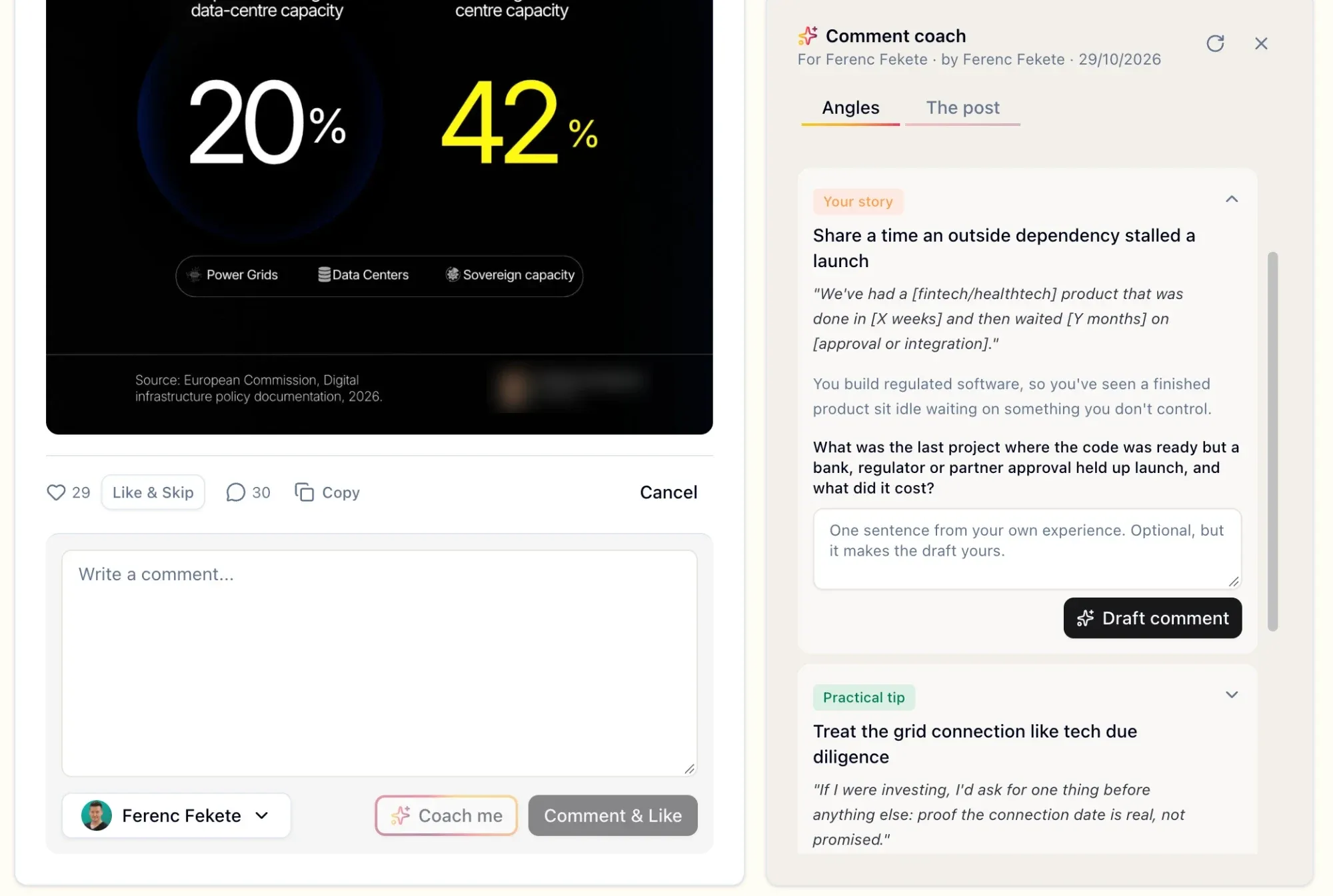
The Angles tab on a post from my feed, first angle open, comment box still empty. My own account; the post’s author is blurred.
Two details worth knowing. When an angle leans on a fact, the Sources tab shows where it came from, so you can check before you quote. And if a teammate has already run the coach on a post, it opens straight away with their result.
Drafts in your voice
A draft that sounds like a committee is worse than no draft. Your voice fixes that. It’s a voice profile that teaches the coach how you write, so the drafts come out sounding like you rather than like a template.
Set it up once under Settings. New users get it as a step during setup, and it can be skipped and done later.
One switch deserves its own line: Ending with a question. Plenty of drafted comments close with “What do you think?” Flip the switch and yours stop doing that.
Pulse: am I being consistent?
Pulse answers one question, the one in the heading. It sits in the sidebar next to The Boss Feed and shows a weekly goal, a streak with your best week beside it, and a heatmap.
A Weekly goal ring. It starts at five comments a week for everyone, and you can change it on Pulse itself, anywhere from one to a hundred. A Consistency streak: how many weeks in a row you have hit the goal, with your best week beside it. And a heatmap of the last twelve weeks, one square per day, darker the more you commented.
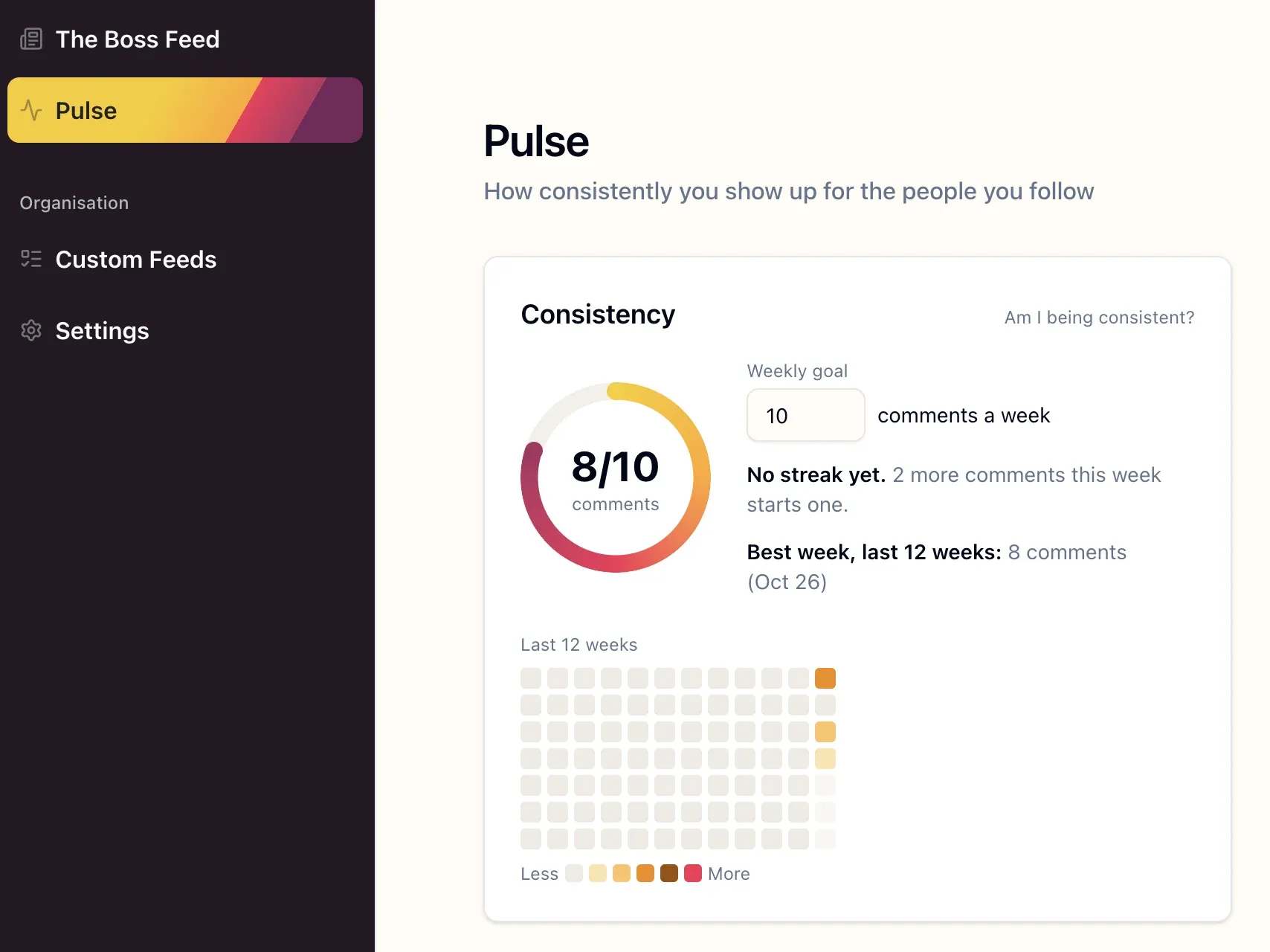
My own Pulse on launch week: eight of ten, no streak yet, and a heatmap that only started filling in this week. The ring is this week; the grid is the last twelve.
Pulse counts comments only. Likes and skips do not move it, because they are not the habit that pays you back.
Weeks run Monday to Sunday in your own time zone. A streak longer than twelve weeks shows as “12+”. And the numbers belong to the LinkedIn account rather than the login, so if a teammate comments from the same account, their comments count too.
The weekly goal is deliberately modest. Consistency beats volume, and five substantive comments a week, kept up for months, is worth more than a heroic twenty in one week followed by silence.
Also new
- Time zone. Pulse counts days and weeks in your own time zone. It’s set automatically from your browser; change it on your Profile page under Time zone.
- A warning before your LinkedIn connection expires. An email arrives seven days before, with a link to reconnect, so your feed never quietly stops.
- Setup reminders. New sign-ups who stop partway through setup get up to two reminders, with a one-click unsubscribe. Existing users are never emailed.
- The brand colors now show on switches and on the coach.
Frequently Asked Questions About the Comment Coach and Pulse
Does the comment coach post for me?
No. It suggests a few angles and drafts a comment for the one you pick. You press Use this, edit the draft in the comment box, and post it yourself. Nothing goes out without you.
What does Pulse count?
Comments only, from the LinkedIn account you are working in. Likes and skips are not counted. Days and weeks follow your own time zone, Monday to Sunday, and the view covers the last twelve weeks.
Can I change the weekly goal?
Yes. Everyone starts at five comments a week. Change it on Pulse itself, to anything between one and a hundred.
How do I make the drafts sound like me?
Fill in Your voice under Settings. It teaches the coach how you write. If you do not want drafts to end with a question, use the Ending with a question switch.
Will I get more email now?
Two new kinds. A warning seven days before your LinkedIn connection expires, with a link to reconnect, and up to two setup reminders if you signed up recently and stopped partway through setup. Existing users do not get setup reminders.
Try it this week
Open BossFeed, work today’s queue, and press Coach me on the first post that deserves a real reply. Pick an angle, edit the draft until it sounds like you, post it. Then open Pulse on Friday and look at the week.
Five comments a week is the starting goal. The coach makes each one faster. Pulse shows whether you did them. Showing up is still yours.

Co-founder, BossFeed, VeryCreatives